 Seller Imago
How to cut the revision loop with clients on Amazon listings
Ask any agency where the time goes on a listing and the answer is rarely the writing or the design. It's the back-and-forth: the client who wanted a warmer tone, the infographic that should have shown the other colour, the benefit that legal won't approve. Each round is small. Together, they decide whether a listing project is profitable.
Why revisions happen
Most revision requests aren't about quality. They come from decisions that were never made explicitly before production started — so the client makes them while reviewing, one comment at a time. The way to cut revisions is to move those decisions to the beginning.
1. Agree the brief before the first draft
For each client, write down on one page: the target buyer, the main promise, the three supporting benefits, words to use and to avoid, claims that need proof, and the competitors they don't want to resemble. Have the client sign it off. Every later comment can be checked against it.
2. Show the structure before the content
Before producing full images, agree on the six-image structure: what each image says and in which order. Disagreements about the structure are cheap to fix on a one-page outline and expensive to fix on finished visuals.
3. Start with one pilot listing
Produce one complete listing, collect every comment, and fold them into the brief and the brand guidelines. Only then roll out to the rest of the range. A pilot that takes three rounds saves you three rounds on each of the next 40 products.
4. Make feedback specific
"Can you make it pop more?" is not actionable. Ask clients to comment on a specific image and a specific element — the headline on image 2, the background on image 3 — and to say whether a comment applies to this listing only or to the whole range.
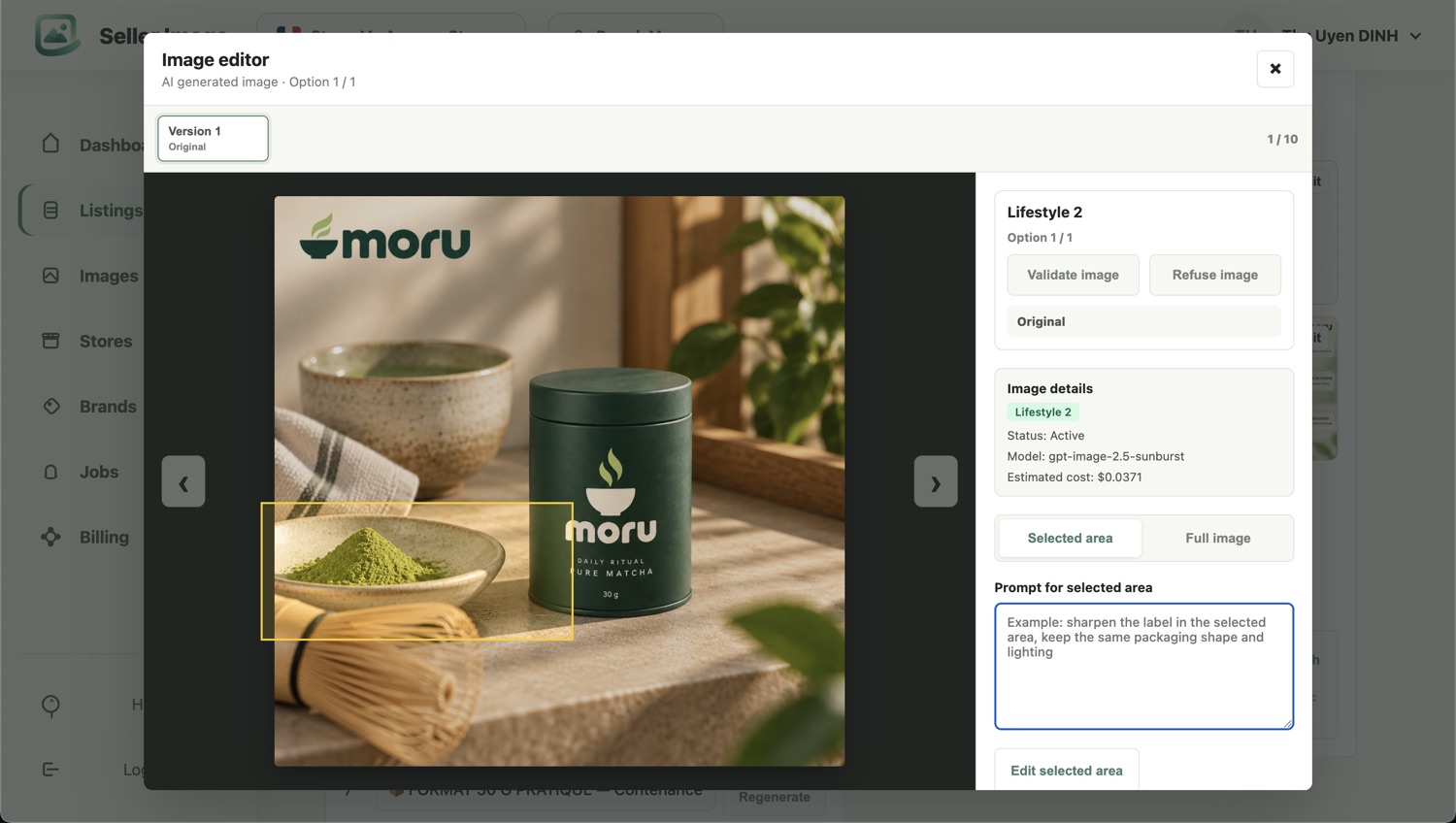
5. Change one thing at a time
When a comment is about one detail, change that detail and nothing else. If every revision regenerates the whole image, the client re-reviews everything and finds new things to change. Targeted edits keep each round small and each round final.
6. Record decisions where production happens
Every approved decision — a preferred wording, a banned claim, a layout choice — should end up in the client's guidelines, not in an email thread. Otherwise the same comment comes back on the next batch.
How Seller Imago handles it
In Seller Imago, each client brand has its own guidelines, applied to every listing generated for it. You can regenerate a single title, bullet point or image, revise one area of an image without touching the rest, and apply a change to a whole batch when a comment concerns the entire range. Decisions stay in the brand settings, so the next batch starts where the last one ended.
See it on one of your own products
Send us one product your team is working on. We'll build the complete listing — copy and six coordinated images — and walk you through it side by side with your current version in a 15-minute demo.
Request a demo